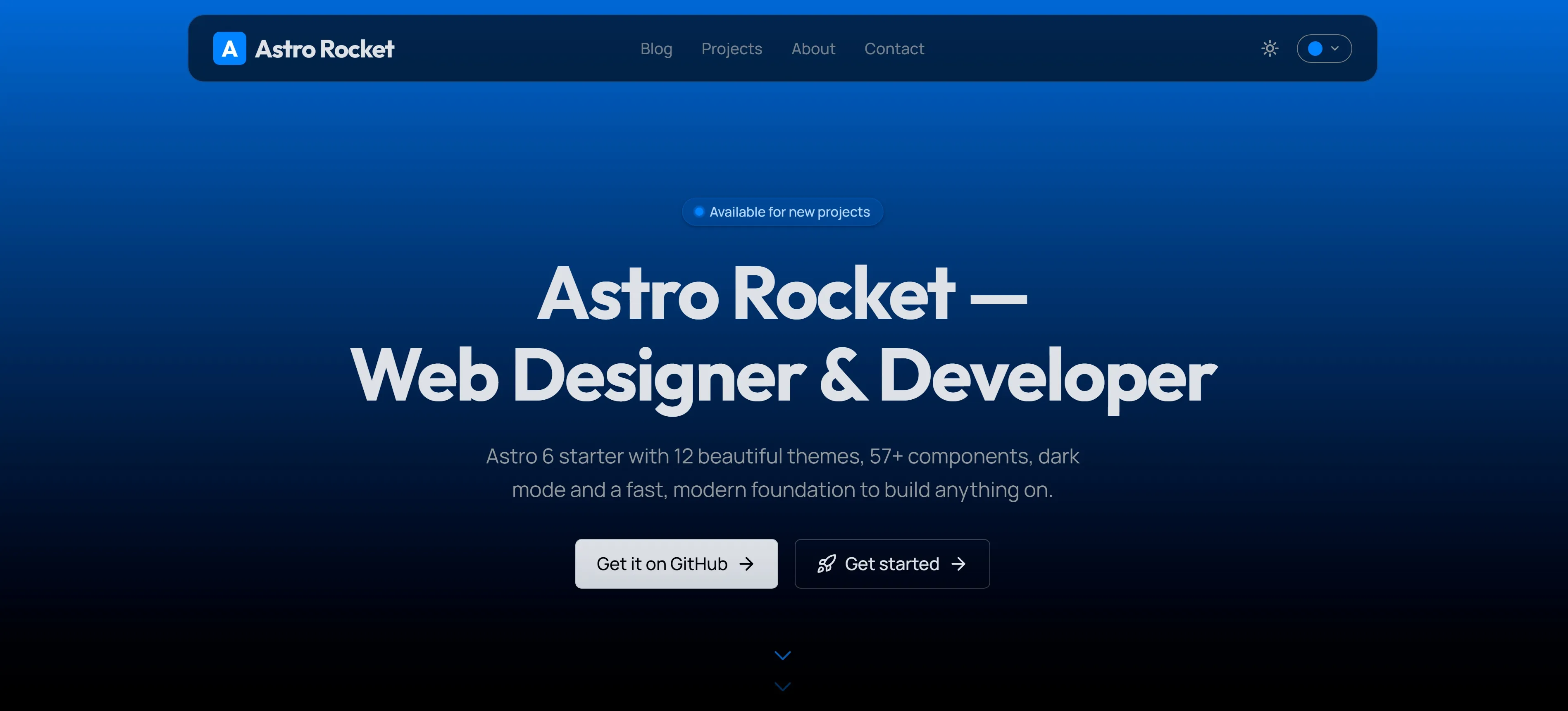
About the project
Astro Rocket is a production-ready Astro 6 starter that ships as a complete, styled website — not a blank slate. Clone it, update the text, go live. Everything else is already done.
It covers everything a serious portfolio or marketing site needs: a full design system, 57+ components, 12 live-switchable colour themes, a 3-state colour-mode system, a full blog with MDX, projects, content collections, the complete SEO stack, RSS, sitemap, structured data, i18n scaffolding, a contact form wired to Resend, a newsletter form, Pagefind search, cookie consent with Google Consent Mode v2, and a layered animation system — all wired together, all working on day one.
It scores 100 on every Lighthouse category out of the box. It’s built for designers, freelancers, and developers who want a site that genuinely impresses from the moment it launches.
Lighthouse: 100 Across the Board
Astro Rocket scores 100 on every Lighthouse category — on both mobile and desktop — Performance, Accessibility, Best Practices, and SEO — on the live demo at astrorocket.dev. That’s not a tuned benchmark page; it’s the full site with animations, a theme switcher, typed headlines, a contact form, the cursor trail, and the LetterGlitch CTA.
Lighthouse runs in a sandboxed Chromium environment with throttled CPU and network, so individual scores can vary a point or two from run to run depending on the host machine, network conditions, and which extensions or processes are competing for resources. The numbers above reflect the typical result on the live demo on both mobile and desktop, not a guaranteed ceiling.
The result ships back into the theme as a reusable LighthouseScores component — four authentic Lighthouse-style circular gauges that animate from zero to 100 as the section enters the viewport, ready to drop into any landing page.
The scores are a side-effect of decisions made throughout the build: Astro’s static-first output keeps JavaScript off pages that don’t need it, fonts are preloaded, CSS is inlined, layout reads are deferred to requestAnimationFrame to eliminate forced reflow, images are processed through Astro’s built-in image pipeline, every interactive component meets WCAG contrast and keyboard requirements by default, and the SEO layer ships the full stack rather than just meta tags.
12 Themes. Switch in Seconds.
The theme switcher is one of Astro Rocket’s most satisfying details. Twelve colour themes — Orange, Amber, Lime, Emerald, Teal, Cyan, Sky, Blue, Indigo, Violet, Purple, and Magenta — toggle instantly from a pill in the header. Click a swatch and every button, link, badge, progress bar, scroll-progress arc, logo monogram, blog cover gradient, and accent on the page updates in a single frame. No waiting, no code changes, no deploy.
The secret is CSS custom properties scoped to data-theme attributes on <html>. The browser does all the work — the server never needs to know. The full token system — how colours, spacing, and typography are wired together — is covered in How Astro Rocket’s Design System Works.
Colour Mode — System, Light, Dark
The colour-mode picker is a true 3-state system rather than a binary toggle. The user can pin Light or Dark explicitly, or pick System to delegate to the operating system — and when ‘System’ is active, the page tracks prefers-color-scheme live, flipping the moment the OS does without a reload. The choice persists in localStorage, so it survives reloads and new tabs.
The picker lives in the header as a pill-shaped dropdown right next to the colour-theme pill. It shows the icon for the currently chosen mode (monitor, sun, or moon), so the user can always see what they picked at a glance. Below the md breakpoint both pills hide from the header bar and reappear inside the mobile menu — selecting a mode in one updates the other instantly.
A small inline bootstrap script in <head> runs synchronously before body paint to apply the saved mode and resolve the .dark class, so there is never a flash of the wrong theme — even across navigations. The full implementation, the storage contract, and the no-flash bootstrap are written up in System, Light, Dark — How Astro Rocket’s Colour-Mode System Works.
57+ Components, Eight Categories
The component library is the core of the project. Every component is built for Astro, typed with TypeScript, styled with Tailwind CSS v4, dark-mode-aware, and theme-aware. Browse them all on the components page:
- Form — Button, Input, Textarea, Select, Checkbox, Radio, Switch, PasswordInput
- Data display — Card, Badge, Avatar, Table, Pagination, Progress, Skeleton
- Feedback — Alert, Toast, Tooltip
- Overlay — Dialog, Dropdown, Tabs, VerticalTabs, Accordion
- Marketing — Logo, CTA, NpmCopyButton, SocialProof, TerminalDemo
- Patterns — ContactForm, NewsletterForm, SearchInput, StatCard, FormField, EmptyState, LetterGlitchBand
- Landing — Hero, FeatureTabs, TechStack, Credibility, LighthouseScores
- SEO — SEO, JsonLd, Breadcrumbs
Underneath, the design system uses a three-tier token architecture (reference → semantic → component) so a single --brand-500 change cascades through every component without per-component overrides.
Auto-Generated Branding
Change siteConfig.name and the logo monogram badge and SVG favicon update at runtime — automatically, in the right brand colour, with no design tools required. The favicon is pre-rendered at build time directly from the config; the badge re-renders live the moment a visitor switches themes. This is the detail that makes Astro Rocket genuinely forkable: new name, new colour, new site. Every available toggle is documented in the configuration guide.
Iconify — 3,350+ Icons, One Component
A single Icon component covers the full Iconify catalogue: 350+ Lucide UI icons for every interface need, plus 3,000+ Simple Icons brand marks for tech-stack badges, social links, and credibility sections. One import, one prop, every icon — and only the ones you actually use end up in the bundle.
SEO — The Complete Stack
Most starters ship three meta tags and call it SEO. Astro Rocket ships the complete implementation:
- JSON-LD structured data —
WebSite,Organization, andPersonschemas on the homepage;BlogPostingon every post;Breadcrumbssite-wide — prerequisites for rich results in Google Search - Open Graph + Twitter Cards — full social metadata on every page, with post cover images wired in automatically
- Canonical URLs — constructed from the production domain, correct across staging and preview environments
- Auto-generated sitemap — every page included at build time; submit once to Search Console
- Per-page robots control —
noindex/nofollowon any page via a prop - Search Console verification — Google and Bing codes via
.env, no template edits - Static OG image — a polished default Open Graph card serves as the social preview for every page; no build-time image generation required
The full setup — what each piece does, how to configure it, and what rich results it unlocks — is in SEO in Astro Rocket.
The Floating Header
The header is a frosted-glass pill that floats over the hero on scroll and slides up out of view when you scroll down — quietly returning the moment you scroll back. At rest above the fold it sits full-width with a subtle translucent backdrop; once the page scrolls, it shrinks into a centred floating capsule with a backdrop-blur background, never blocking content but always one swipe away.
On page load, the header drops in from above on its own spring entrance — cubic-bezier(0.22, 1.6, 0.36, 1) over 0.8 seconds, delayed 150ms so it lands just as the hero content is mid-rise. The from state mirrors the header’s auto-hide position exactly, so the entrance and the scroll-hide behaviour use the same transform values and never conflict.
Hero Grid Pattern
Behind the homepage hero, a desktop-only radial grid pattern fades in with a soft brand-coloured glow at the centre. The grid is pure CSS — linear-gradient repeats masked by a radial fade — so it costs nothing at runtime and updates automatically when the active theme changes. On mobile it’s hidden entirely to keep the focus on the headline and reduce visual noise on small screens.
Cursor Trail — Desktop Only
A custom three-layer cursor effect activates only on devices with a fine pointer and no prefers-reduced-motion:
- A small brand-coloured dot that sits exactly under the pointer
- A lagging ring that follows with elastic easing and blooms when hovering interactive elements
- A comet trail of fading particles that spawn behind movement and dissolve
The native cursor stays visible — the effect is purely additive. On touch devices, coarse pointers, and reduced-motion sessions it’s skipped entirely, with no JavaScript cost.
Animations
Scroll progress bar. A 2px brand-coloured line runs along the bottom of the fixed header and fills as you scroll. Smooth, passive, requestAnimationFrame-throttled.
Scroll progress ring. As you scroll, a thin arc traces around the back-to-top button — clockwise, from empty at the top to fully drawn at the bottom. The arc colour follows the active theme automatically.
Hero scroll indicator. Two stacked chevrons gently bounce at the bottom of the homepage hero, drawing the eye downward. They appear after the hero has finished animating in and vanish the moment you start scrolling — desktop-only, zero intrusion.
Typing effect. The hero headline cycles through configurable phrases. The width is locked to the longest word before the animation starts, using a hidden off-screen measurer that inherits the exact computed font metrics — so the layout never shifts. A Core Web Vitals detail most typing effects get wrong.
Scroll reveal. Three distinct modes handle every case. data-reveal animates a single element into view with direction variants for up, down, left, right, and scale. data-reveal-children cascades a grid of cards in sequence, each child staggering 100ms behind the last. data-reveal-content gives long-form pages like blog posts and project write-ups a per-block reveal. All three modes use an IntersectionObserver with a 15% threshold, so the animation plays when the element is genuinely on screen.
Spring curve. Every entrance uses cubic-bezier(0.22, 1.6, 0.36, 1) — a curve with the second control point above 1.0, which produces a controlled overshoot. The element travels a few pixels past its final position and snaps back, approximating a physics spring without any runtime library. This is the single detail that separates the animation feel from a standard ease-out: things arrive rather than stop.
Hero entrance stagger. On page load the hero content cascades in element by element — badge, title, description, action buttons — each 90ms behind the last, all driven by :nth-child selectors on a single parent class. No JavaScript scheduling, no component props.
Counter animations. Stat counters and Lighthouse scores ease from zero to their target value the moment they enter the viewport, with cubic ease-out timing tied to a single IntersectionObserver.
Card and tile micro-interactions. Project cards, blog cards, and the about-me tiles all lift on hover with a 1px translate, a softer shadow, and a brand-coloured top-border accent that fades in — small details that make the grid feel responsive without being noisy.
Reduced motion. Every animation respects prefers-reduced-motion. When the user opts out, entrances become instant, the cursor trail is skipped, and the typing effect falls back to the longest phrase rendered statically.
A full technical breakdown of every animation layer is in Animations in Astro Rocket.
LetterGlitch CTA
The closing call-to-action on the homepage, projects index, and about page uses a contained LetterGlitch band on desktop — a field of randomised characters cycling at the brand colour, with a centred glass card laid over the top holding the headline and buttons. It’s a deliberate moment of visual texture in an otherwise restrained layout, and on mobile it gracefully degrades to a flat brand-coloured section so small screens stay calm.
Forms — Wired End-to-End
Contact form. A fully working form with Zod schema validation, honeypot bot detection, and a Resend-powered email handler. Submissions arrive in your inbox within seconds; setup is a single environment variable and one verified domain. The full walk-through is in Set up the contact form with Resend.
Newsletter form. A drop-in newsletter component wired to Resend Audiences — visitors are added to your mailing list directly from the site with the same Zod-validated handler.
Both endpoints are real Astro API routes, type-checked, unit-tested with Vitest, and ready to deploy.
Search, Privacy, and Analytics
Pagefind search. Static-site search powered by Pagefind — index built at the end of every production build, no server, no third-party dependency, no per-search cost.
Cookie consent banner. A GDPR-friendly banner with Google Consent Mode v2 support — analytics and ad tags wait for explicit consent before firing, and the user’s choice persists in localStorage.
GA4 + GTM. Google Analytics 4 and Google Tag Manager are pre-wired and consent-aware. Add your IDs via .env and the tags load only when the visitor has consented.
Content Collections — Type-Safe by Default
Every piece of content lives in a typed Astro Content Collection: blog, projects, pages, authors, faqs, and stack. Schemas are validated with Zod at build time, so a missing field, a malformed date, or an invalid image path is a build error — not a runtime surprise.
Internationalization (i18n)
The base theme is i18n-ready: every collection schema carries a locale enum (en, es, fr), and the directory structure is set up for locale-prefixed content. Full language routing and a LanguageSwitcher can be added via the upstream Velocity tooling without restructuring content.
Deploy Anywhere
Astro Rocket ships with first-party configuration for Vercel, Netlify, and Cloudflare Pages — vercel.json, netlify.toml, and wrangler.toml are all in the repo, each with security headers pre-configured. CI runs lint, type-check, and build on every push via GitHub Actions.
Zero JavaScript by Default
Astro’s island architecture means every page ships pure HTML unless a component explicitly needs JavaScript. Interactive islands — theme switcher, colour-mode picker, contact form, typing effect, scroll indicators, cursor trail, LetterGlitch — hydrate themselves. Everything else stays static.
Open Source
Astro Rocket is open source under the MIT licence and submitted to the official Astro themes directory. It’s a fork of and a tribute to Velocity by Southwell Media — the foundation it builds on. If it saves you a week of setup, a star on GitHub is the best way to say thanks.